
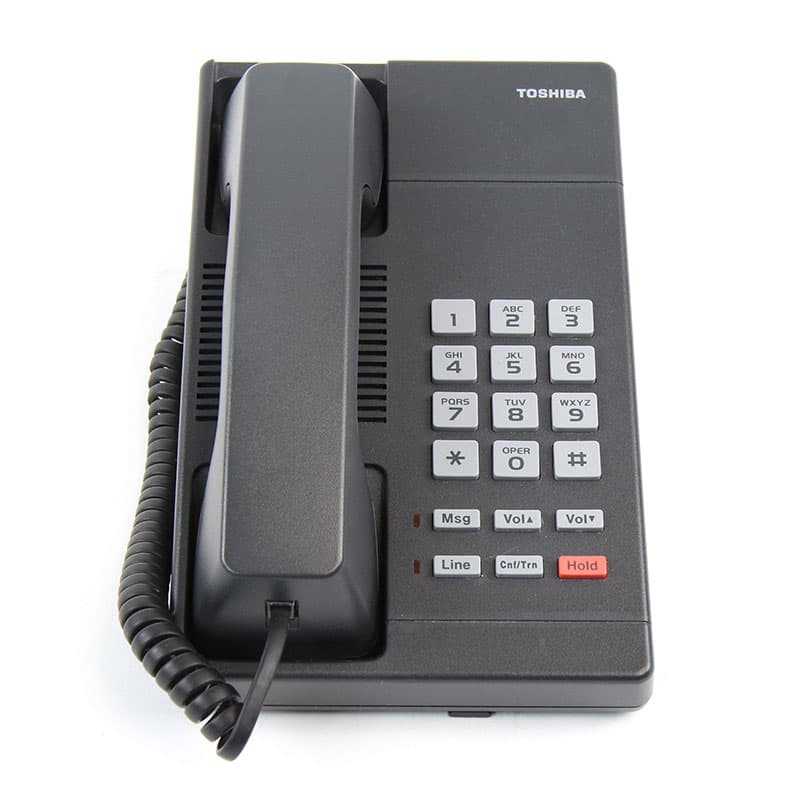
Toshiba DKT2001
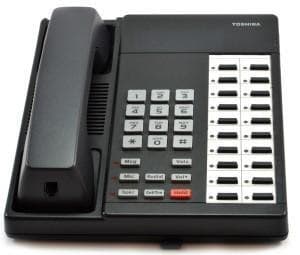
The Toshiba DKT2001 is a digital telephone for Strata DK, Strata CIX and Strata CTX systems. Our certified Toshiba technicians can supply, program, and support it — remote or onsite.
- Series
- 2000 Series
- Type
- Digital
- Programmable buttons
- 1
- Display
- No display
- Speakerphone
- Handset / headset only
- Color
- Charcoal (Black)
- Released
- 1992
- Discontinued
- 2004
- Mfr. support through
- 2011
- Compatible systems
- Strata DK, Strata CIX, Strata CTX
About the Toshiba DKT2001
The DKT2001 is a digital single-line telephone from Toshiba's 2000 series. It incorporates state-of-the-art telecommunications technology with calling features that are easy to operate and accessed with a feature button or a brief access code.
The phone supports handsfree answer-back and uses red LED indicators for its Message and Line functions. Volume buttons must be held down for at least 1/8 of a second for any volume change to occur, with continuous holding producing changes about every 1/2 second until the level limit is reached.
Features & capabilities
- 6 fixed feature buttons: Message (with red LED), Line/intercom (with red LED), Conference/Transfer, Hold, Volume Up (Vol up), Volume Down (Vol down)
- Digital single-line phone for making and receiving calls
- Handsfree answer-back capability
- Red LED indicators for Message and Line
- Volume buttons must be held at least 1/8 of a second to change; continuous holding changes level about every 1/2 second until the limit is reached
Button & feature reference
Standard Toshiba button, soft-key, and programmable-feature reference for 2000 Series and compatible Strata telephones. See “Features & capabilities” above for this model’s specific buttons.
Fixed feature buttons8
| Cnf/Trn | Conference/Transfer button Press to set up a conference and transfer calls. |
|---|---|
| Hold | Hold button Press to hold internal or outside calls. |
| Mic | Microphone button Press to turn the microphone off/on while the telephone is in use. |
| Msg | Message Waiting button The Msg LED flashes to indicate that a message is waiting. After accessing the intercom, press the Msg button to call back the station or voice-mail device that activated the LED. |
| Spdial | Speed Dial button For Private (Station) Speed Dial, press Spdial + nnn (nnn = 100–199). For System-Wide Speed Dial, press Spdial + nnn (nnn = 200–999). |
| Redial | Redial button Press to have the system redial the last telephone number you dialed. |
| Spkr | Speaker button Press to turn the speaker on/off. The Spkr button will also select a line or the intercom if programmed for auto preference in system programming. Also used to disconnect on-hook speakerphone calls. |
| Vol ▲ / Vol ▼ | Volume buttons Press to adjust volume levels. |
More 2000 Series phones
View all
Need help with a Toshiba DKT2001?
Our certified technicians can supply, program, and support it — remote or onsite.